
Biometric school attendance software
Biometrics vs. RFID: Which Attendance System is Best for Your School?
Fingerprint scanners and RFID cards both promise faster, proxy-free attendance. A practical comparison on cost, speed at the gate, accuracy, privacy and maintenance, and why many schools are better served by teacher-marked digital attendance.
The Onflows team4 min read
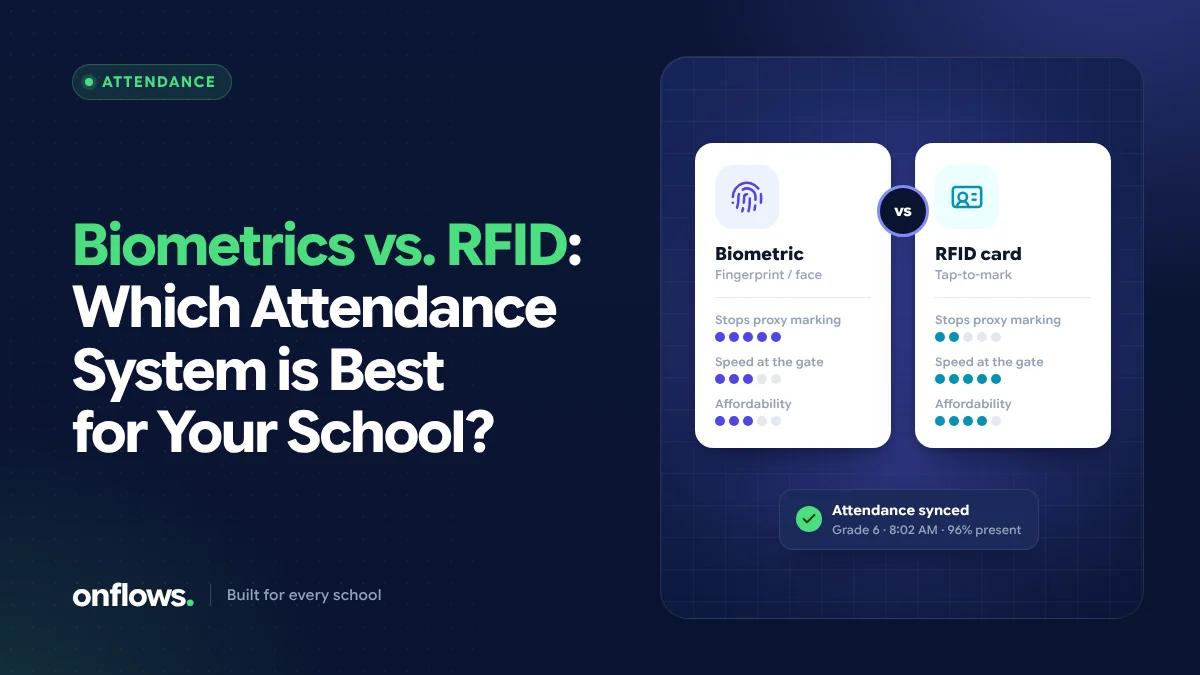
Attendance is the most repeated task in any school, so it is natural to look for hardware that takes it off teachers' hands. The two common options are biometric attendance (usually fingerprint or face recognition) and RFID cards (a card or tag tapped or read at the gate).
Both work. Neither is right for every school. This post compares them honestly, and makes the case for a third option that many schools overlook.
How each system works
Biometric attendance records a student's fingerprint or face at enrolment. Each day, the student presents a finger or their face at a device, which matches it and records the time.
RFID attendance gives each student a card or tag with a unique ID. A reader at the gate or classroom door records the card as it passes or is tapped.
In both cases, the device sends records to biometric school attendance software or an RFID system, which turns gate entries into attendance.
Side-by-side comparison
| Factor | Biometric | RFID cards |
|---|---|---|
| Proxy attendance | Hard to fake: the student must be present | Possible: a friend can carry the card |
| Speed at the gate | Slower: each student presents a finger or face | Faster, especially with long-range readers |
| Upfront cost | Devices per gate or class | Readers plus a card per student |
| Running cost | Device maintenance, re-enrolment as children grow | Replacement cards for lost or damaged ones |
| Young children | Fingerprints of small children can be harder to read | Cards are lost more often |
| Privacy | Holds biometric data, which needs strong protection and consent | Holds only a card ID |
| Failure mode | A device fault stops the queue | A forgotten card needs a manual entry |
The privacy question
Biometric data is among the most sensitive personal data there is. A fingerprint cannot be changed if it leaks. Before collecting it from children, a school should:
- check what local data protection law requires, including consent from parents,
- ask the vendor exactly where templates are stored and who can access them,
- have a plan for deleting the data when a student leaves.
RFID cards avoid most of this, because a card number is not biometric data.
What gate attendance does not tell you
Both systems record arrival at the gate, not presence in class. A student can enter the school and not attend a period. For many schools, the attendance that matters to parents and boards is the class register, and that is taken by the teacher in the room.
The third option: teacher-marked digital attendance
A student attendance management system where the teacher marks attendance on a phone or laptop needs no hardware at all:
- the teacher marks only the absentees, which takes under a minute for a class,
- the office sees the register immediately and corrects late arrivals,
- families can be told the same morning,
- attendance can be taken per day, per half day or per period.
This is how attendance works in Onflows. To be clear, Onflows does not connect to biometric or RFID devices; attendance is marked by the teacher who is in the room, or by the office. If gate hardware is essential for you, check carefully how a vendor's software turns gate records into a class register.
How to choose
- Choose biometrics if proxy attendance is a serious, proven problem and you can meet the consent and data protection requirements.
- Choose RFID if gate speed matters most (large schools, one entrance) and you accept that cards can be shared.
- Choose teacher-marked digital attendance if you want accurate class attendance without hardware cost, maintenance or biometric data, which is the right answer for most small and mid-sized schools.
Some schools combine gate hardware for arrival with teacher-marked class attendance. That gives the best record, at the highest cost.
Free student attendance tracker software
If budget is the main constraint, a free student attendance tracker software or even a well-designed register is a sensible start. Our free attendance register format is a good paper baseline. When you move to software, check that totals, monthly summaries and alerts to families are included, not just a digital grid.
Frequently asked questions
Is biometric attendance allowed in schools?
It depends on local law. Many jurisdictions treat biometric data as sensitive personal data requiring explicit consent and strict safeguards. Check the rules where you operate and get parental consent before enrolling children.
Which attendance system is cheapest?
Teacher-marked digital attendance needs no hardware, so it is usually the cheapest. RFID adds readers and cards; biometrics adds devices and maintenance.
Can attendance alerts go to parents automatically?
Yes, with most attendance software. In Onflows, absentees marked by the teacher can be told to the family the same day.
See how attendance works in Onflows, or create your school and mark your first register.
Topics: Biometric school attendance software, Student attendance management system, Attendance