
School admission management software
Streamlining Document Verification and Student Onboarding with Machine Learning
Admission season buries the office in birth certificates, report cards and address proofs. Here is what machine learning can genuinely do with that pile, what it cannot, and the simpler steps that remove most of the work first.
The Onflows team4 min read
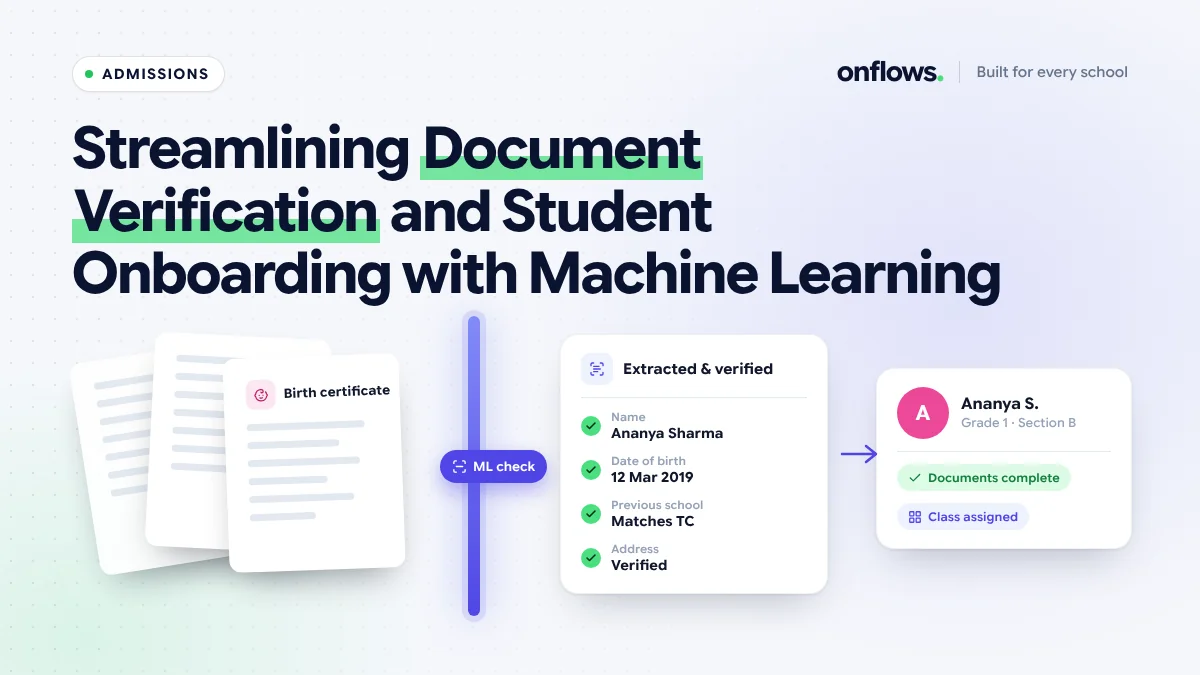
Every admission season the same pile forms on the same desk: birth certificates, the previous school's report card, an address proof, a transfer certificate, a photograph. Someone checks each one against the application form, notes what is missing, and phones the family. By the third week the pile has its own filing system.
Machine learning is offered as the fix. It can help, but the help is specific, and a school that buys "AI document verification" without knowing what it does will be disappointed. Here is what it can do, what it cannot, and what to do first.
What machine learning can do with a document
Three things, reliably:
- Read it. Optical character recognition (OCR) turns a photo of a birth certificate into text: the name, the date of birth, the registration number. Modern OCR handles phone photos and most regional scripts reasonably.
- Classify it. A model can tell a birth certificate from a report card from an electricity bill, so an upload lands in the right slot without a person sorting it.
- Compare it. Once the text is read, software can check that the date of birth on the certificate matches the one typed on the form, and flag a mismatch.
That is the useful core. A family uploads five documents; the system sorts them, reads the key fields, and lists the mismatches. The office looks at exceptions instead of everything.
What it cannot do
- Prove a document is genuine. OCR reads what is printed. It does not know whether the certificate was issued by the registrar. Authenticity still needs the issuing body or a trained eye.
- Decide. A mismatch is a question for a person. The model should never admit or reject a child.
- Replace the form. If the application itself is a PDF someone retypes, there is nothing for a model to compare against.
Do the simple things first
Most of the admission backlog is not a reading problem. It is a collection problem. Three changes remove more work than any model:
Let the family fill the application online. In Onflows, admissions include a public application page and a link the family uses to complete the whole form, including uploading their documents, at home. The office receives a structured record, not an envelope. We describe the flow in turning website inquiries into enrolled students without paperwork.
Show the checklist to the family. When the family can see "4 of 5 documents received", they send the fifth without being chased.
Store every document against the student, with versions. A document vault that keeps the original and every later copy, and never hard-deletes, means the certificate is still there in Class 10 when the board asks for it.
Those three steps are in the free plan of most serious school admission management software, and they are where the week goes. Machine learning then works on a much smaller pile.
What onboarding looks like when it works
A good onboarding sequence from inquiry to first day:
- Inquiry recorded with its source.
- Family completes the form and uploads documents.
- Office reviews exceptions only.
- Offer sent; fee structure for the class is attached.
- Admission confirmed; the student appears in the roll, the class list and the fee ledger at once.
- Welcome details go out, which we cover in sending welcome kits and orientation details automatically.
The last step matters. The admission should create the student record, not be copied into it later.
Questions to ask a vendor
- Does the family complete the form online, or does the office type it in?
- Can a document be rejected with a reason the family sees?
- What happens to documents when the student leaves? (They should be archived, not deleted.)
- If you offer ML verification, which fields does it compare, and what does it do when they differ?
For a broader checklist see what to ask a school ERP vendor.
Frequently asked questions
Is machine learning document verification available in Onflows?
Not today. Onflows gives families an online application with document uploads, gives the office a per-application checklist, and stores documents in a versioned vault. Automated reading and comparison is not something we claim; the roadmap says what is next.
Is it safe to collect birth certificates online?
Yes, if the uploads are stored privately, access is by role, and every view is logged. Ask how a vendor isolates one school's data from another's; the security section describes how Onflows does it.
Does a smaller school need any of this?
A school admitting forty students a year still benefits from the online form and the checklist. The ML layer pays off at scale.
See how admissions work in Onflows, or create your school and publish your application page.
Topics: School admission management software, Admissions, Document verification, Machine learning, Onboarding