
Online school management system
Empowering Older Students to Track Their Own Timetables, Attendance and Credits
A sixteen-year-old who must ask a parent to check their own attendance is being taught dependence. Here is why older students should have their own login, what they should see, and how to keep it safe and separate from the parent's view.
The Onflows team2 min read
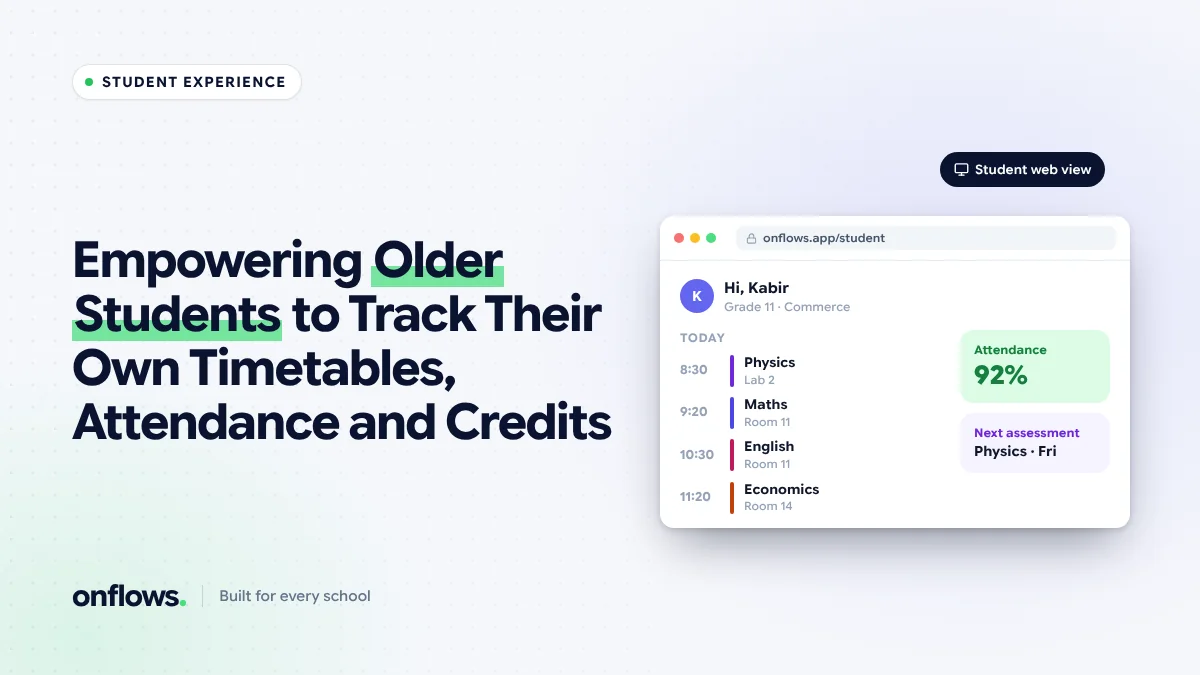
School software is usually built for two audiences: the office and the parents. The student, whose record it is, gets nothing. A Class 11 student who wants to know their attendance percentage before the board's minimum cut-off has to ask a parent to check the parent's app.
Older students can manage their own records, and they should.
Why give students their own view
- Responsibility. Students who can see their own attendance and marks take ownership of them.
- Planning. Assignment due dates, test dates and the timetable help a student plan their week.
- Fewer questions to teachers. "What is my attendance?" and "When is the test?" answer themselves.
- Preparation for what comes next. University and work both expect people to manage their own records.
What students should see
- Their timetable, including changes for the day.
- Their attendance, as a percentage and by day, with the board's minimum requirement shown where it applies.
- Homework and assignments, with due dates and submission status. See centralising homework so students never miss a deadline.
- Published marks and report cards, including past years.
- Credits or subject choices, for curricula that use them, such as IB or credit-based secondary systems.
- Notices meant for students.
What students should not see
- Fee balances and payment details, which are between the school and the guardian.
- Teacher notes and behaviour records, except through a proper conversation.
- Anything about other students.
Separate from the parent
The student's login must be their own, not a shared parent password. That means:
- A username the student can remember. Many younger students do not have an email address.
- Password resets the family or school can do without fuss.
- A view designed for the student, not the parent's view with fewer buttons.
From what age?
Most schools start around Class 6 to 8, with a fuller view from Class 9. Younger students rarely need a login; their parents' view is enough.
Where Onflows fits
In Onflows, students can sign in with a username, without needing an email address, and families can reset their child's password. Students see their own work and published results, including report cards from past academic years. Parents keep their own separate console. See the features page.
Credits and choices
For schools with elective subjects or credit systems, a student who can see which credits they have earned and what remains needs far fewer meetings with a coordinator to plan their final years.
Frequently asked questions
Will students misuse it?
There is little to misuse. It is a read-only view of their own records, plus submissions.
Should students see their attendance warnings?
Yes. A student close to the board's minimum attendance should know before it is too late.
Do students need an app?
Not if the system runs in the browser and installs to the phone's home screen.
See what students and parents see in Onflows, or create your school.
Topics: Online school management system, Students, Best school management app, Student attendance management system, School management software