
School management software
Eliminating Manual Calculation Errors in Multi-Tier Teacher Salary Structures
Basic pay, grade pay, allowances, increments, leave without pay and statutory deductions, each with its own rule. Here is where salary calculations go wrong in schools, and how to structure them so the arithmetic can no longer drift.
The Onflows team4 min read
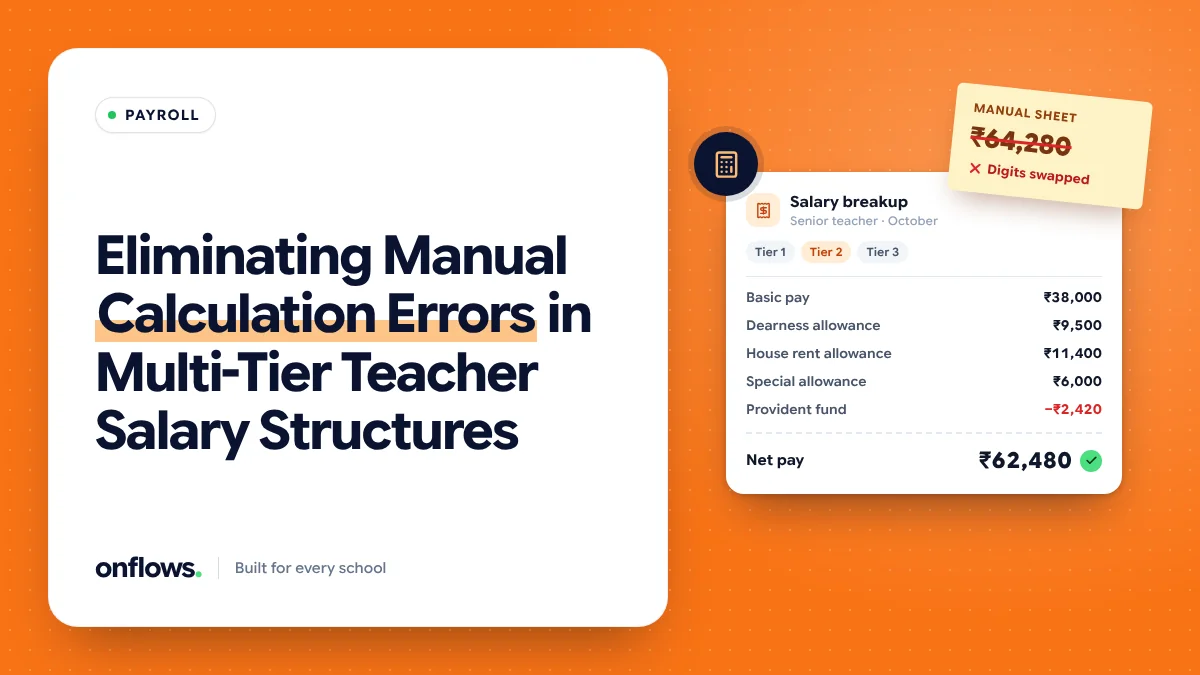
A school's salary sheet looks simple until you try to rebuild it from scratch. A senior teacher on the old pay scale, a new teacher on a consolidated amount, a part-time art teacher paid by the period, a driver on a daily rate, and a principal with an allowance nobody remembers agreeing to. Each has a different formula, and the formulas live in one person's spreadsheet.
The errors that follow are rarely large. They are small and repeated: an increment applied a month late, an allowance calculated on the wrong base, leave without pay deducted on calendar days instead of working days. Small, repeated errors are the ones that become disputes.
Where the arithmetic goes wrong
Tiers calculated on the wrong base. House rent allowance as a percentage of basic, or of basic plus grade pay? The rule exists somewhere, but the spreadsheet formula was written by someone who left.
Leave without pay. The deduction depends on the number of days in the month, the school's definition of a working day, and whether half days count. Three inputs, each a source of error.
Increments and arrears. A revision that takes effect from April but is approved in July creates three months of arrears. Hand-calculated arrears are where most complaints start.
Statutory deductions. Provident fund, professional tax, income tax withholding. The rates change and the thresholds change. A sheet that hard-codes last year's figure is wrong in a way nobody notices until the audit.
Copy-forward errors. Most salary sheets are last month's sheet with edits. A wrong cell gets copied forward for a year.
Structure the pay before you automate it
Software cannot fix a salary structure that only exists in someone's head. Before any tool, write down:
- Every pay component, with its name and whether it is earning or deduction.
- The formula for each: a fixed amount, a percentage of a named base, or a rate times a count.
- Which staff categories get which components. Teaching, non-teaching, contract, part-time.
- The attendance inputs: what counts as a working day, how half days and leave without pay are treated.
- The effective date of every rate, so a revision is a new row with a date, not an overwritten number.
Once that exists, the calculation is mechanical, and mechanical work is what software does without error.
The attendance link is the important one
Most salary errors are attendance errors in disguise. If the staff register and the payroll sheet are kept separately, someone retypes the leave days every month. In Onflows, staff attendance is a month register where the office records leave, so the days a person was absent are already a record rather than a number on a slip of paper. That register is the input any payroll calculation should read.
We describe how the staff side works, including cover for absent teachers, in assigning cover teachers the moment someone calls in sick.
What school management software should do here
A good setup:
- Reads the leave and attendance figures from the staff register, never from a retyped number.
- Applies each component's formula from its stated base and effective date.
- Produces a slip per person that shows every line, so a teacher can check their own pay.
- Keeps an audit trail of every change to a rate, with the person who made it.
- Locks a month once paid, so a later edit creates a correction, not a silent change.
Is payroll part of Onflows?
Not today. Onflows covers the staff record, staff leave, the staff attendance register and expenses, which are the inputs payroll needs. The calculation itself is usually handled by the school's accountant or a payroll service. If a full payroll module is what decides your purchase, tell us when you sign up; it is how the roadmap is ordered.
Whatever tool you use, the structure above is what removes the errors. A clear structure in a spreadsheet beats an unclear one in expensive software.
Frequently asked questions
Should part-time teachers be on the same structure?
They should be in the same system, with their own component (a rate per period) so their pay is calculated from the periods they actually taught.
How do we handle arrears after a revision?
Record the new rate with its effective date and let the calculation produce the difference for each past month. Never hand-calculate arrears and type in a total.
How often should a salary structure be reviewed?
At least once a year, before the new academic year, and whenever a statutory rate changes.
See the staff and office features Onflows runs today, or create your school and set up your staff register.
Topics: School management software, Payroll, Teachers, School administration, Reducing paperwork