
Timetable generation software
How AI Algorithms Resolve Complex Timetable Clashes in Minutes
A school timetable is a constraint problem with thousands of combinations. Here is how AI timetable generation software works through them, what a verifier adds, and why the result should still be a proposal a person applies.
The Onflows team4 min read
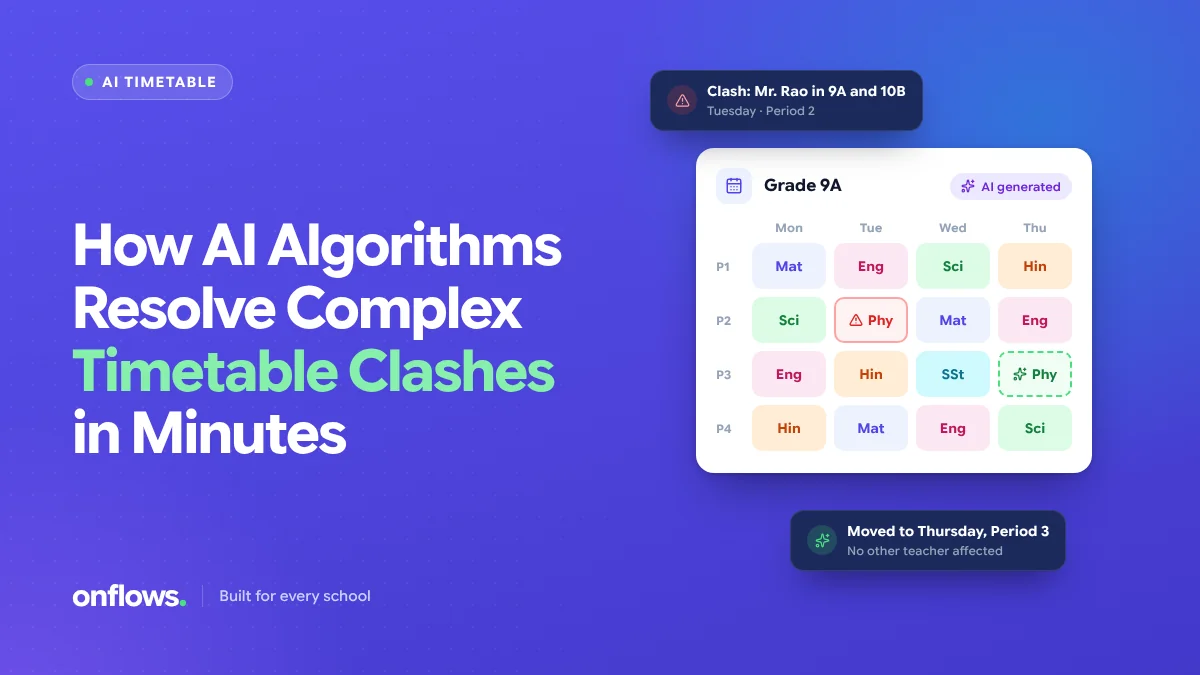
Ask a timetable coordinator what the job is and they will not say "filling a grid". They will say "the week Mrs Iyer is on leave", or "the lab is free only on Tuesdays", or "Class 9 cannot have maths after games". The grid is easy. The constraints are the job.
That is why hand-made timetables take days and break the moment one teacher's hours change. It is also why timetable generation software for schools was one of the first places AI earned its keep in school administration. This post explains what the AI actually does, so you can judge a vendor's claim.
What a clash is
A clash is any period where a rule is broken:
- A teacher in two rooms at once.
- A class with two subjects in the same period.
- A room double-booked, usually a lab.
- A subject exceeding its weekly periods, or falling short.
- A teacher past the maximum periods a day the school allows.
- A placement that ignores a stated preference, such as no double periods for a lower class.
A school of thirty sections, forty teachers and eight rooms with constraints has more possible weeks than anyone could inspect. The coordinator finds one that works by experience, then patches it every time something changes.
How the solver works through it
AI timetable software treats the week as a constraint satisfaction problem. It takes three things as input:
- The facts. Teachers, the subjects each one teaches, the classes, the rooms, the number of periods a day.
- The rules. Periods per subject per week, a teacher's maximum load, rooms a subject needs, activities such as games or assembly that occupy a fixed slot.
- Preferences. Things the school would like but can live without: morning slots for maths, no single teacher taking a class for the last period every day.
The solver then searches for a week where every fact and rule is satisfied, and as many preferences as possible are met. The search is not random. It places the most constrained items first (a lab subject with one available room), and when it hits a dead end it backs up and tries the next option rather than starting over. That is why it finishes in minutes where a person takes days.
Why the verifier matters more than the solver
A model that proposes a timetable can be wrong. It can place a teacher in two rooms and present the result confidently. A solver on its own is not enough; the output has to be checked by something that does not guess.
In Onflows, the AI timetable is two parts. A proposer lays out the week from your rules. A separate verifier then checks every period against every rule and reports any clash it finds, in plain terms. Nothing is applied until a person looks at the result and says yes. The proposal is a draft; the verifier is the gate; the coordinator is the decision.
We covered the older, hand-made version of this problem in how automated timetable scheduling removes teacher conflicts. The AI version changes the speed, not the principle: the rules still belong to the school.
Setting up for a clean first run
Most first runs fail for data reasons, not AI reasons:
- Teachers without subjects. Every teacher must be linked to what they teach.
- Subjects without periods. A subject with no weekly count cannot be placed.
- Activities treated as subjects. Games, library, assembly and club time are activities with a fixed slot and often no teacher. Keep them separate so the solver does not try to find a teacher for play time.
- Rooms left out. If labs are not rooms with a capacity, the solver cannot stop two classes booking one.
Spend an hour on this before pressing generate and the first proposal is usually usable.
When a teacher's hours change mid-term
This is the real test. A hand-made timetable becomes a week of swapping. With the solver, you change the teacher's availability and ask for a new proposal, with the instruction to keep as much of the existing week as possible. The verifier shows what moved. If the change is small, so is the disruption.
For the related problem of daily absences, see assigning cover teachers the moment someone calls in sick.
Is there free school timetable generator software?
There are free tools, mostly desktop programs and spreadsheets with macros. They can produce a grid. What they rarely do is hold the teacher, subject and room records in the same place as attendance and the roll, which is what makes a change show everywhere at once. In Onflows the timetable and its AI are on the Pro plan; the pricing page says what that costs and what the free plan includes.
Frequently asked questions
Does the AI decide the timetable?
No. It proposes one and a verifier checks it. A person applies it. If the proposal is not right, you change a rule and ask again.
How long does a proposal take?
Minutes for a school of a few hundred students, depending on how many constraints are set.
What happens to exams and meetings?
They are drawn over the timetable, not built into it, so an exam week does not require regenerating the term.
See what the AI does today, or create your school and set up your first timetable rules.
Topics: Timetable generation software, AI, Timetable, Teachers, Free school timetable generator software