
Timetable software
How Automated Timetable Scheduling Eliminates Teacher Scheduling Conflicts
A school timetable is a puzzle with hundreds of constraints, and one change can undo a week of work. How timetable generation software for schools proposes a clash-free week from your rules, and why a person should still apply it.
The Onflows team4 min read
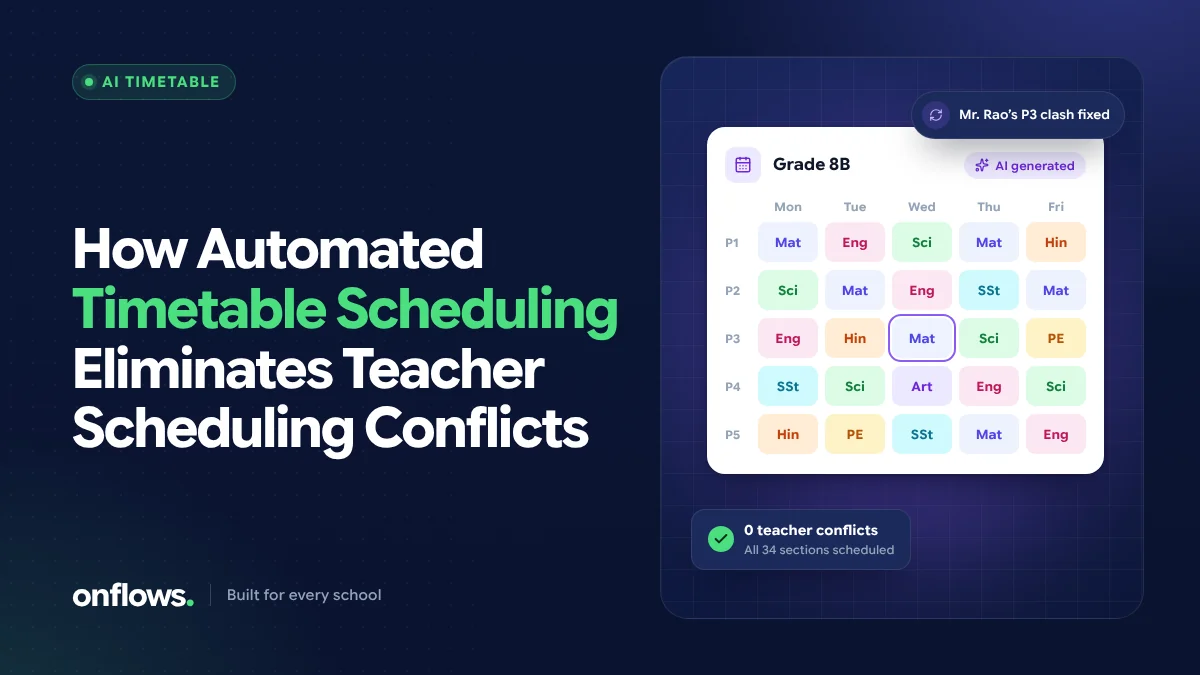
Every academic year, someone in the school sits down with a large sheet of paper or a spreadsheet and builds the timetable. It takes days. Then a teacher's hours change, a new section opens, or the lab becomes unavailable on Thursdays, and much of the work has to be redone.
The hardest part is not placing the periods. It is making sure nothing clashes: no teacher in two rooms at once, no class with two subjects in the same slot, no lab double-booked. That is exactly the part software is good at.
Why manual timetables produce conflicts
A timetable for even a mid-sized school has a lot of moving parts:
- every class and section needs its weekly quota of periods per subject,
- each teacher teaches several classes and has a maximum load,
- some subjects need special rooms (labs, the computer room, the ground),
- some rules are preferences (games on Friday afternoon, maths early in the day),
- some are hard limits (a part-time teacher who is only in on three days).
A person can hold a few of these rules in mind at once. A whole school's worth is beyond anyone, so conflicts slip through and are discovered on the first Monday of term.
What automated timetable scheduling does
Timetable generation software for schools turns those rules into a problem a computer can solve:
- You state the rules. Periods per subject per class, which teacher takes which class, room needs, and preferences such as "no period before the lab is free".
- The software proposes a week. It lays out every class at once against those rules, which is the part that takes a person longest.
- A checker verifies it. A fixed check compares the proposal against the rules and reports any clash. If it says there is a conflict, there is one; if it says there is none, there is none.
- A person applies it. The timetable becomes live only when someone responsible says so.
In Onflows, the Timetable module lays out the week for every class from your rules or by hand, and the AI proposes the week from the rules you write. A verifier that does not guess checks the proposal, and nothing is applied until you say so. You can read more about how the AI fits in on our AI page.
Why "a person applies it" matters
It is tempting to let software publish the timetable directly. We think that is a mistake. The person who builds a timetable knows things that are not written down: two teachers who should not share a free period, a class that struggles after lunch, a parent-teacher meeting already promised. The software should do the arithmetic; the school should keep the decision.
Handling changes during the year
The real test of timetable software is not the first week; it is the fifth week, when a teacher goes on leave or a new section opens. Look for software that:
- lets you change one rule and re-propose without starting from scratch,
- shows exams, events and meetings drawn over the week, so you see the real day,
- keeps the previous timetable, so you can see what changed.
Free school timetable generator software: what to expect
There are free timetable generators, and some are good for a single-teacher schedule or a small school. When evaluating a free school timetable generator software, check:
- Teacher clash detection. Can it guarantee no teacher is double-booked?
- Rooms and labs. Can it handle shared rooms?
- Integration. Does the timetable connect to attendance and teachers' records, or is it a separate file you must keep in step by hand?
- Export and printing. Can each teacher and each class get their own view?
A standalone free tool can produce a good grid, but you will maintain it separately from everything else. In Onflows the timetable is part of the school system, so period attendance and substitutions use the same week. Timetable is on the Pro plan, and new schools get Pro free for their first six months; see pricing.
A simple way to start
- List every class and section, with periods per subject per week.
- List every teacher with the classes and subjects they take.
- Note the hard limits first (availability, rooms), then the preferences.
- Generate, review with the people affected, then apply.
If you are moving from paper generally, our post on manual school tasks to automate puts the timetable in context with attendance, fees and report cards.
Frequently asked questions
Can software make a timetable with zero clashes?
Yes, if the rules can be satisfied together. When they cannot (for example, a teacher assigned more periods than there are slots), good software tells you which rule is impossible rather than producing a timetable with a hidden clash.
How long does automated timetable generation take?
Once the rules are entered, a proposal for the whole school usually takes minutes. Entering the rules carefully the first time is the bigger job, and it is reused every year.
Does AI replace the timetable coordinator?
No. It removes the slowest part of the job. The coordinator still sets the rules, reviews the proposal and decides when to apply it.
See the Timetable and AI features, or create your school and enter your rules.
Topics: Timetable software, Timetable, AI, Teachers