
School ERP software price
On-Premise vs. Cloud School ERP: Which is More Cost-Effective?
An installed school ERP looks cheaper because it is paid once, but the full cost includes hardware, backups, updates and someone to run it. How to compare the five-year cost of on-premise and cloud school ERP honestly, line by line.
The Onflows team4 min read
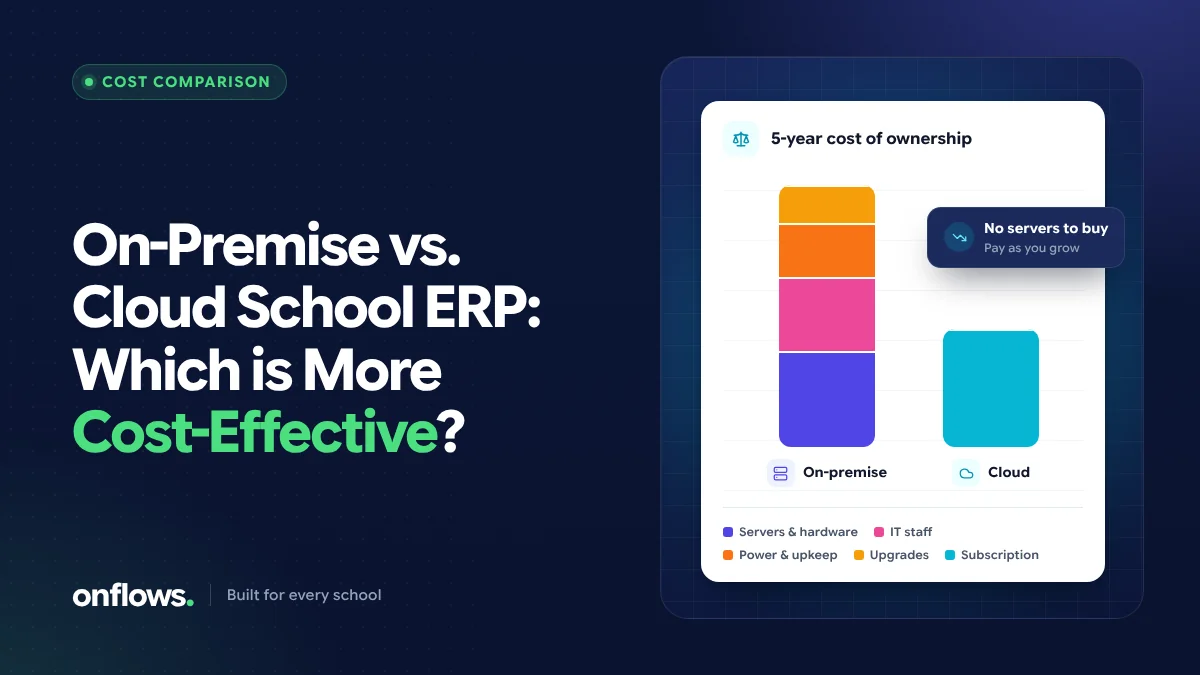
When schools compare school ERP options, the first number they see is the licence or subscription price. An installed (on-premise) system often looks cheaper: pay once, own it. A cloud system charges every year. But the price on the quote is only one line of what each costs to run.
This post sets out how to compare the two fairly, over five years, so the school ERP software price you compare is the real one.
What "on-premise" and "cloud" mean
On-premise: the software is installed on the school's own computer or server. The school is responsible for the hardware, backups, updates and security.
Cloud: the software runs on the vendor's servers and is used in a web browser or phone. The vendor is responsible for the servers, backups, updates and security; the school pays a subscription.
The cost lines to compare
On-premise
| Cost line | Notes |
|---|---|
| Licence | Often one-time, sometimes per module |
| Annual maintenance (AMC) | Commonly charged yearly for updates and support |
| Server or office computer | Plus replacement every few years |
| Power backup | A UPS, and sometimes a generator share |
| Backups | External drives or an off-site copy, and someone to run them |
| Updates | Installed on each machine, often by a visiting technician |
| IT time | Whoever looks after the machine, inside or outside the school |
| Remote access | Extra setup if anyone needs access outside the office |
Cloud
| Cost line | Notes |
|---|---|
| Subscription | Usually per student per year, or a flat yearly fee |
| Internet | A reliable connection for the office (most schools already have one) |
| Extras | Messages beyond a quota, optional modules, training |
A five-year comparison you can fill in
Take each line above, put your own quotes and estimates against it, and add up five years. Things that are commonly missed on the on-premise side:
- The AMC. A yearly maintenance charge, often a percentage of the licence, makes a "one-time" price recurring.
- Hardware replacement. A computer bought this year will likely be replaced within the five years.
- The cost of a failure. If the server fails and the last backup is a month old, the cost is a month of re-entry.
Things commonly missed on the cloud side:
- Price changes at renewal. Ask what the price is after the first year, and whether an introductory rate is locked.
- Growth. A per-student price grows as the school grows. That is fair, but plan for it.
- Extras. SMS and WhatsApp messages, for example, are often charged on top.
In our experience, once IT time, hardware and backups are counted, the cloud option is cheaper for most small and mid-sized schools, and the gap widens if the school has no in-house IT person. Large groups with their own IT teams may find the comparison closer.
Costs that are not money
- Access. Cloud software works for teachers on their phones and principals at home; on-premise usually works only on the office network.
- Updates. Cloud users always have the current version; on-premise users often run versions years old.
- Risk. On-premise concentrates risk in one machine in one room.
What about free and open-source options?
Searches like open source school ERP free download or free school management software for Windows 10 are often about avoiding a subscription. Open-source software has no licence fee, but it moves every other on-premise cost onto the school: hosting, setup, updates, backups and support. We cover what that involves in how to set up an open-source school ERP.
Some cloud products also have free tiers. Onflows' Community plan is free with no time limit for smaller schools, and the paid Pro plan is priced per student per academic year. See pricing for the current figures.
How to get comparable quotes
Ask every vendor, cloud or on-premise, for:
- The total for your student count for each of the next five years.
- What is included: modules, support, training, updates, data export.
- What is extra, and the unit price of each extra.
- What happens to the price at renewal.
Then put them side by side in the table above. Our vendor questions post has more to ask.
Frequently asked questions
Is cloud school ERP more expensive in the long run?
Not usually, once hardware, maintenance, backups and IT time are included. Compare five-year totals rather than the first-year price.
Can we run a cloud ERP without internet?
Cloud software needs a connection. Check how well it works on a slow mobile connection, since that is often what classrooms have.
What does school ERP software usually cost?
Prices vary widely by size, features and vendor. Many cloud products charge per student per year; installed products often charge a licence plus annual maintenance. Always ask for the five-year total for your size.
See Onflows pricing, which is per student per academic year with no setup fee, or create your school free.
Topics: School ERP software price, Cloud based school management software, On-premise, Costs