
School fee management software
How to Prevent Long Queues on School Fee Collection Day
Fee day queues come from three things a school can fix: everyone paying at once, receipts written by hand, and nobody knowing what each family owes. Practical steps, with and without school fee management software.
The Onflows team4 min read
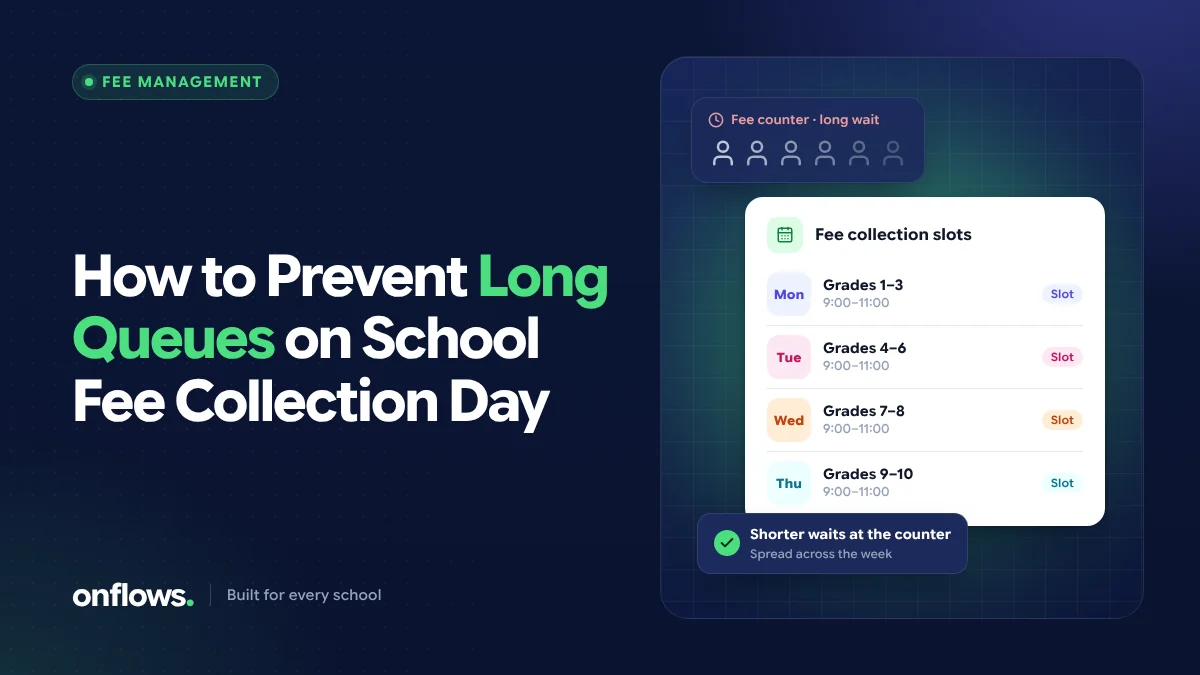
The fee counter queue is one of the most visible signs of a stretched school office. Parents take time off work to stand in line, the accounts staff write receipts as fast as they can, and by the afternoon everyone is frustrated.
The good news is that queues on fee collection day are not inevitable. They come from three causes, and each one can be fixed.
Why fee day queues happen
- Everyone pays on the same day. If every instalment is due on the 10th, every family comes on the 9th and 10th.
- Each payment takes too long at the counter. Looking up what a student owes, applying a discount, writing the receipt and entering it in the ledger can take several minutes per family.
- Families do not know what they owe. Parents arrive unsure of the amount, ask questions at the counter, and some come back a second time.
Fix those three and the queue shrinks, whatever payment method families use.
Step 1: Spread the due dates
The simplest fix costs nothing. Instead of a single due date for the whole school, stagger it:
- by class (primary in the first week, secondary in the second), or
- by the first letter of the surname, or
- by giving each instalment a window of a week or ten days rather than a single day.
Tell families their window well in advance. A staggered schedule alone often halves the peak.
Step 2: Make every counter transaction fast
The time per family at the counter is where school fee management software helps most. When fee codes, instalments and discounts are set up once per class, the software already knows what each student owes. At the counter, the accountant finds the student, records the amount received and the method, and the numbered receipt prints. No lookup in a ledger, no arithmetic, no handwritten receipt.
In Onflows, the Fees module holds fee codes and instalments per class, discounts, what each student owes and the receipts. It records what is owed and what was paid and issues the receipt. To be clear about what it does not do yet: Onflows has no payment gateway, so the money still arrives the way it does today (cash, cheque, bank transfer or the school's own UPI), and the office records it.
If you are still on paper, use a consistent receipt layout; our fee receipt format shows the fields to include.
Step 3: Tell each family what they owe before they come
Most counter conversations start with "how much is it?". A reminder that states the student's name, the instalment, the amount due and the due date answers that before the family leaves home. Reminders built from the fee ledger, rather than from a list typed last month, go only to families who actually owe.
Step 4: Offer ways to pay without coming in
Many Indian schools now accept UPI or bank transfer for fees. Even without an integrated payment gateway, a school can:
- publish the school's account details or UPI ID on the fee notice,
- ask families to share the transaction reference, and
- record the payment against the student and send the receipt.
Fewer families at the counter means a shorter queue for those who still prefer to pay in person.
Step 5: Reconcile the same day
Queues are worse when the office is also behind on yesterday's entries. When every receipt is recorded as it is issued, the day's collection totals are already there at closing time, and the next morning starts clean.
How to automate school fee collection, step by step
If you are moving from receipt books to software, a sensible order is:
- Set up the fee structure: fee codes, instalments and amounts per class.
- Record discounts and concessions per student.
- Import or enter opening balances for the current academic year.
- Start issuing receipts from the software on the next fee day.
- Send due reminders from the ledger before the following instalment.
We go deeper on the record-keeping side in digital fee management under state fee regulations.
Frequently asked questions
What is school fee management software?
It is software that holds a school's fee structure (fee codes, instalments, discounts), works out what each student owes, records payments, issues receipts and shows outstanding dues. It replaces receipt books and hand-kept ledgers.
Is there free school fee management software?
Some products offer free tiers with limits. In Onflows, Fees is part of the Pro plan, and new schools get Pro free for their first six months. See pricing for current details.
Do we need online payments to end the queue?
No. Staggered due dates, accurate reminders and fast receipts remove most of the queue. Online payment helps further, but a school can get most of the benefit first and add payment options later.
See how Onflows handles fees, or create your school and set up your fee structure.
Topics: School fee management software, Fee collection, School administration