
School admission management software
The Ultimate Guide to Streamlining the School Admission Process
From the first enquiry to the first day of class, admissions involve forms, documents, follow-ups and seat planning. A stage-by-stage guide to a smoother intake, and what school admission management software should do at each step.
The Onflows team4 min read
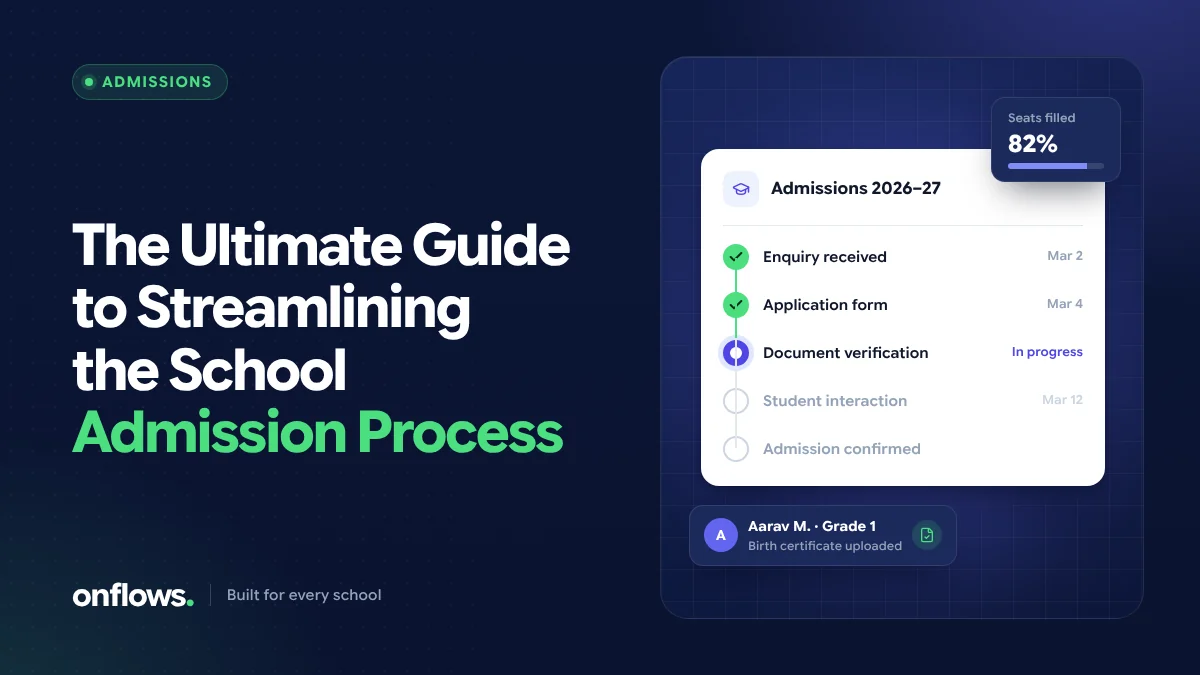
Admissions are the first real experience a family has of your school. A smooth process says the school is organised; a lost form or an unanswered call says the opposite, often to a family who had other options.
Yet admissions are usually run from a notebook, a pile of printed forms and someone's memory. This guide walks through the admission process stage by stage, with what to fix at each one and where school admission management software helps.
Stage 1: Enquiry
Enquiries arrive by phone, walk-in, email and the website. The problem is not volume; it is that they arrive in different places and are recorded differently, if at all.
Make it better:
- Record every enquiry in one list, whoever takes it.
- Capture the essentials: the child's name, the class sought, the parent's contact details and the source.
- Agree a response time, for example within one working day.
Stage 2: Application
Paper application forms mean parents travel to collect and return them, and the office retypes everything later.
Make it better: publish an online application form that parents complete from their phone. The details go straight into the system, so nothing is typed twice. In Onflows, the Admissions module includes a public application page for parents and the intake funnel that tracks each application.
Keep the form short. Ask only what you need to decide on the application; the rest can be collected after the offer.
Stage 3: Documents
Birth certificate, previous school records, transfer certificate, photographs, address proof. Collecting them is where admissions stall, because nobody can see at a glance which documents are missing for which child.
Make it better:
- Publish the document list with the application form.
- Track documents per applicant, so the office can see what is outstanding.
- Store scans against the child's record, so they are not collected again at enrolment.
Stage 4: Interaction or assessment
Many schools meet the child or the family, or run a short assessment for older classes.
Make it better: schedule slots rather than asking everyone to come on one morning, record the outcome against the application, and let the people who need to see it, see it.
Stage 5: Decision and offer
Decisions are delayed when the person deciding cannot see the full picture: seats available per class, the applications in order, the documents received.
Make it better: keep a seat count per class and section, and make the decision in the same list as the application. Tell the family promptly and say clearly what they must do to accept, and by when.
Stage 6: Fees and confirmation
An offer is not an admission until it is accepted and, usually, the first fee is paid.
Make it better: link confirmation to the fee record, so the office is not reconciling two lists. Our post on preventing fee day queues covers the fee side.
Stage 7: Enrolment and the first day
Once confirmed, the child should become a student without anyone retyping the application. Class, section, roll number and guardians should flow from the admission into the roll.
Make it better: use one system for admissions and the student record, so enrolment is a click, not a data-entry job.
Measures worth tracking
You cannot improve what you do not measure. A few simple numbers:
- enquiries per week, and their source,
- the share of enquiries that become applications,
- the time from application to decision,
- the share of offers accepted.
None of these need a complex report; a single admissions list with statuses gives you all four.
What to look for in admission software
When comparing school admission management software, check that it:
- offers an online application form parents can fill from a phone,
- tracks each application through clear stages,
- records documents per applicant,
- turns an accepted application into a student without retyping,
- keeps the history, so you can see what happened to an application later.
Some schools look for a free school admission management system to start with. Onflows includes Admissions in its free Community plan; see pricing for the current limits.
Frequently asked questions
How can we reduce paperwork in school admissions?
Move the application form online, collect document scans against each application, and use the same system for admission and enrolment so nothing is copied. Our post on the true cost of school paperwork has more on where paper costs the most.
When should a school open admissions?
Most schools open several months before the new academic year begins. Whatever your timing, publish it clearly with the document list and the fee schedule, so families can plan.
Can parents apply without creating an account?
In Onflows, yes. The public application page lets a parent apply without an account; the school then manages the application from its admissions list.
Run your next intake from one list. Create your school on Onflows and publish your application page.
Topics: School admission management software, Admissions, School administration