
Timetable generation software
How to Dynamically Assign Backup Teachers When a Staff Member Calls in Sick
At 7:10 am a teacher calls in sick and six periods need cover before assembly. Here is how to build a cover process that finds the right free teacher in minutes, spreads the load fairly, and tells everyone who needs to know.
The Onflows team3 min read
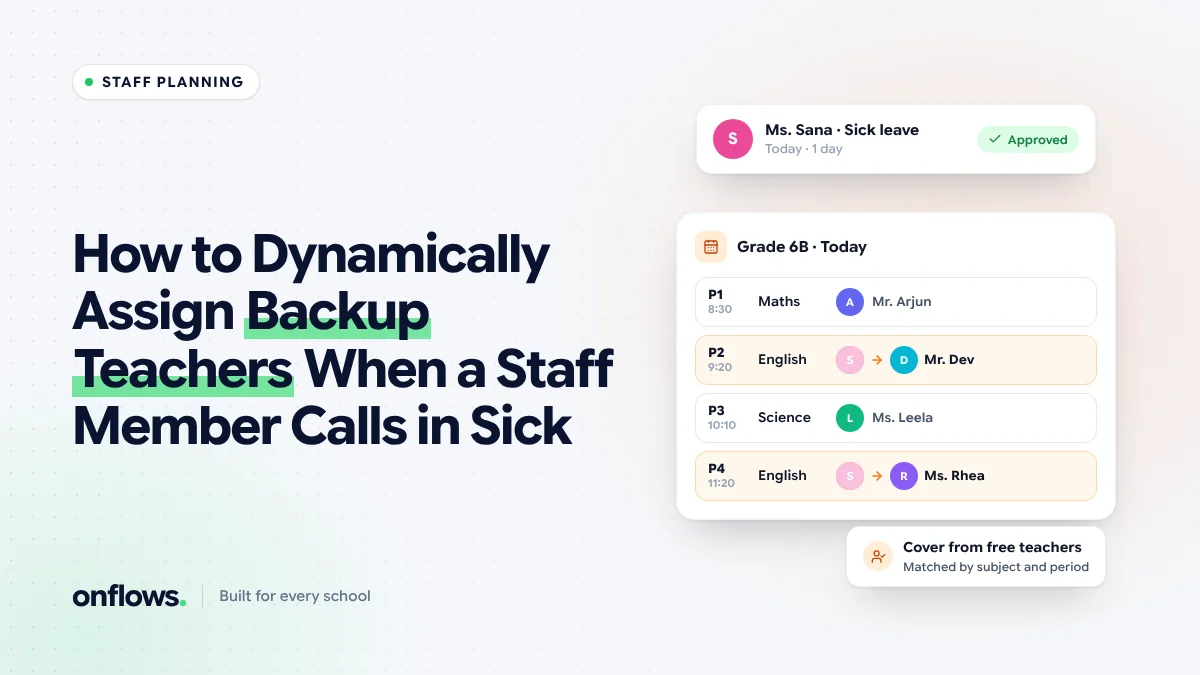
7:10 am. A teacher messages the coordinator: fever, not coming in. She teaches six periods today across four classes. Assembly is at 8:00. The coordinator opens a printed timetable, runs a finger down each period to find who is free, and starts phoning.
By 8:00 four periods are covered. Two are not, and two classes sit with the class monitor in charge. It happens in every school, several times a week.
What makes cover hard
- Finding who is free means reading the whole timetable for each period.
- Fairness. The same reliable teachers get asked every time.
- Suitability. A free maths teacher is a better cover for a maths class than a free PE teacher, if both exist.
- Telling people. The cover teacher, the class, and sometimes the office all need to know.
- Records. At the end of the month nobody knows who did how much cover.
The cover process, step by step
1. Record the absence first
The absence goes on the staff register: who, which day, full or half day. This is the trigger for everything else. If the register lives in the same system as the timetable, the affected periods are known instantly.
In Onflows, staff attendance is a month register where the office records leave, and periods needing cover follow from it.
2. List the periods affected
For each period the absent teacher would have taught: the class, the subject, the room.
3. For each period, list who is free
A teacher is free if they have no class in that period and are present today. The timetable answers this; no phone calls needed.
4. Rank the free teachers
A sensible order:
- Someone who teaches the same subject.
- Someone who teaches the same class.
- Someone with the fewest cover periods this month.
- Anyone free.
The third rule matters most for morale. We look at the bigger load picture in using timetable data to prevent teacher burnout.
5. Assign and tell
The coordinator confirms the assignment. The cover teacher is told, with the class, the room and what to do (a worksheet, a chapter to revise). The class's timetable for today shows the change.
6. Count cover over the month
At the end of the month, cover periods per teacher are a report, not a guess. Recognise the teachers who did the most.
Plan for the predictable
Not every absence is a surprise. Approved leave, training days and exam duty are known in advance, so cover can be arranged the day before. A leave request that is approved should immediately show the periods it affects.
When the timetable itself must change
A long absence (maternity leave, a resignation) is not a cover problem. It needs a new timetable for the weeks affected. See how AI resolves timetable clashes in minutes.
Frequently asked questions
Should cover teachers teach or supervise?
Supervise, with work left by the absent teacher. A short instruction ("Chapter 4 questions 1 to 10") is enough.
What if nobody is free?
Combine two classes in a larger room under one teacher, or use the coordinator. Record it, so the pattern shows if it happens often.
Should we pay for cover periods?
Many schools pay for cover above a monthly threshold. The monthly count makes that fair.
See staff attendance and the timetable in Onflows, or create your school.
Topics: Timetable generation software, Teachers, Staff attendance, Timetable, School administration