
Parent teacher communication app
How WhatsApp Integration is Revolutionizing Parent-Teacher Communication
Parents read WhatsApp far more reliably than email or circulars, so schools want school software that messages them there. What WhatsApp integration in a parent teacher communication app should look like, the rules that apply, and the mistakes to avoid.
The Onflows team4 min read
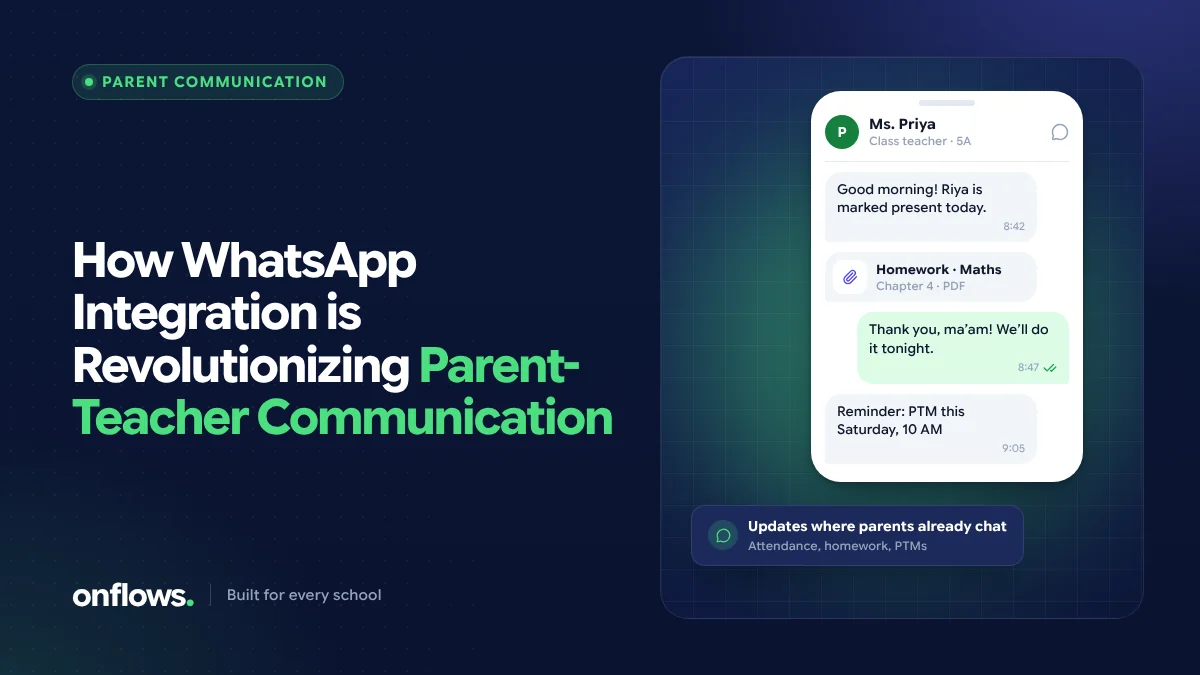
In many countries, and especially in India, WhatsApp is where parents actually read things. A circular in a school bag may never arrive; an email may sit unopened; a WhatsApp message is usually seen within the hour.
So schools are asking their software to reach parents on WhatsApp. Done well, it transforms parent-teacher communication. Done badly, it recreates the chaos of class WhatsApp groups with a school logo on top. Here is the difference.
The problem with class WhatsApp groups
Most schools already "use WhatsApp", through groups run from teachers' personal phones. These work, up to a point, but they bring real problems:
- Teachers' personal numbers are exposed to every parent in the class.
- Nothing is recorded. When a teacher leaves, the history goes with their phone.
- Every message goes to everyone. A reminder about one child's dues cannot go in a class group, so private messages happen in private chats with no record at all.
- Replies multiply. One notice can generate forty "thank you" messages.
- The school cannot see what was said on its behalf.
What proper WhatsApp integration looks like
A parent teacher communication app with WhatsApp built in sends from the school's own business number, not from a teacher's phone, and keeps a record. It should let the school:
- Send to exactly the right families: one child's guardians, a class, a group of classes, or the whole school.
- Use templates for the messages sent most often: absence alerts, fee reminders, event notices, results.
- Record every send per family, including whether it was delivered.
- Keep teachers' numbers private.
- Fall back to email or SMS where a family has no WhatsApp, or has opted out.
The rules that apply
WhatsApp messages from a business are governed by Meta's WhatsApp Business Platform rules. In short:
- Messages a business starts (rather than replies to) generally have to use pre-approved templates.
- Families should opt in to receiving messages, and must be able to stop them.
- Messaging is charged per conversation or message by Meta through the provider, so volume has a cost.
For SMS in India, sender IDs and templates also have to be registered on the telecom operators' DLT platforms. Any vendor offering WhatsApp or SMS should handle these registrations with you, or explain clearly what you must do.
Where Onflows stands today
We want to be precise, because this is an area where products overclaim. In Onflows today:
- Messages to families exist, with the school's own templates, sent to chosen families, and every send is recorded per family with whether it arrived.
- Email delivery works now. Notices and messages reach families in the portal and by email.
- WhatsApp and SMS sending is being built. The messages and their templates exist; the sending over WhatsApp and SMS does not yet, and the app says so. It is on our roadmap.
If WhatsApp delivery is a requirement for you this term, ask every vendor to show you a real message arriving on a parent's phone during the demo, not a screenshot.
Why schools need a mobile channel for parents
Whatever the channel, the reason is the same: families act on what they actually see. Absence alerts sent the same morning, fee reminders that state the exact amount, and results shared on the day they are published all change behaviour in a way a printed circular does not. We look at the wider question in must-have features in a school mobile app.
Mistakes to avoid
- Sending too much. If every notice goes to WhatsApp, parents mute the school. Reserve it for what is time-sensitive or personal.
- Using personal phones "just for now". Temporary arrangements become permanent and leave no record.
- Forgetting families without smartphones. Keep another channel for them.
- Copying the whole notice into the message. Send the essentials and a link to the full notice.
Frequently asked questions
Is it legal for schools to message parents on WhatsApp?
Schools can use the WhatsApp Business Platform, subject to Meta's policies: approved templates for messages the school starts, an opt-in from families and a way to opt out. Local data protection law also applies to the contact details you hold.
Should teachers stop using WhatsApp groups?
Groups are convenient, but they expose personal numbers and leave no record. Moving official communication to the school's own channel, with teachers' numbers kept private, protects both teachers and the school.
What is the best parent teacher communication app?
The one families actually read, that sends from the school rather than from personal phones, records every message, and reaches families who do not use WhatsApp. Check all four in a demo.
See how messages to families work in Onflows today, or create your school.
Topics: Parent teacher communication app, WhatsApp, Parents, Communication