
Best school management app
Top 7 Must-Have Features in a Modern School Mobile App
Parents and teachers live on their phones, so the school's software has to work there. The seven features that make a school mobile app genuinely useful, and why schools need a mobile app for parents at all.
The Onflows team4 min read
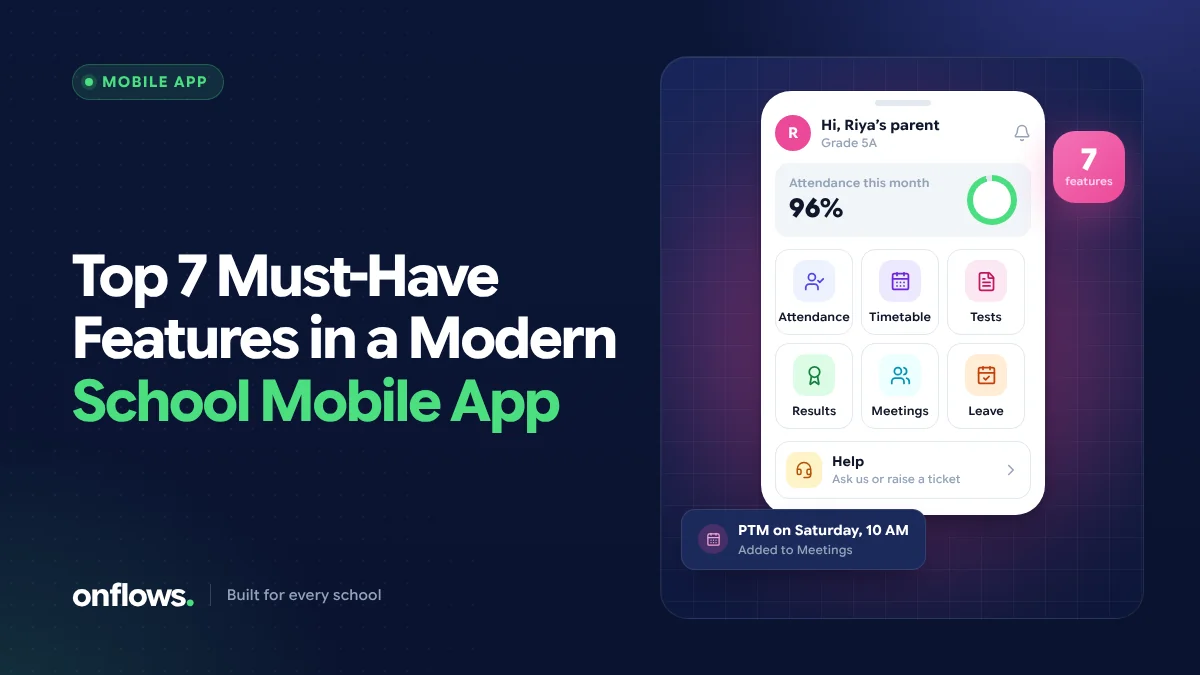
For most parents, the phone is the school. They will not log in to a website on a laptop to check attendance, but they will open an app or a link on their phone the moment a notification arrives. Teachers are the same: the phone is in their hand in the classroom; the office computer is not.
So a school's software lives or dies on its mobile experience. Here are the seven features that matter most, and a few that matter less than vendors suggest.
Why schools need a mobile app for parents
Before the features, the reason. A mobile channel to families:
- gets information to parents the same day, not when a bag is unpacked,
- answers routine questions before they become phone calls to the office,
- gives working parents a view of their child's day,
- creates a record of what the school told each family.
1. Attendance, the same day
Parents want to know, that morning, if their child was marked absent. An app that shows today's attendance and the month's record, and alerts the family when the child is absent, is the single most valued feature in most schools.
2. Notices and circulars, with read receipts
Circulars that arrive on the phone are actually read. For the school, the critical part is the read receipt: knowing which families have seen a notice and which need a follow-up.
3. Results and progress cards
Parents should see marks and progress cards when they are published, and be able to find last term's card without asking the office. Results that stay readable from one academic year to the next matter more than any chart.
4. Fees: what is due and what has been paid
The fee screen should show exactly what is owed, by when, and every receipt already issued. Even without in-app payment, this removes the "how much is it?" conversation at the counter. We cover the fee day side in preventing fee collection queues.
5. Homework and class material
A clear list of what was set, for which subject and by when, saves the evening phone calls between parents. Class material (notes, links, video) alongside it helps students who were absent.
6. The timetable and the calendar
The week's timetable, upcoming tests, holidays and events in one calendar lets families plan. It also helps teachers, who need the same view for their own classes.
7. A way to ask a question and get an answer
Parents need a way to ask the school something and know it reached the right person. A help desk that answers routine questions from the school's records, and passes the rest to a named person as a ticket, is better than a phone number nobody picks up.
Features that matter less than they seem
- Dozens of modules on the home screen. Parents use three or four things. A cluttered app hides them.
- Chat with every teacher at any hour. It sounds good and burns teachers out. Structured channels work better.
- Native app downloads. An app store listing is nice, but a parent who has to find, download and update an app is a parent who may never open it.
App store app or installable web app?
Many people search for a free school management app for Android. It is worth knowing there are two ways to deliver a school app:
- a native app from the Play Store or App Store, which must be downloaded and updated, or
- an installable web app, which opens from a link, can be added to the home screen, and is always up to date.
Onflows takes the second approach: it runs in the browser on any phone and installs to the home screen, with nothing to download from an app store and nothing to update when we ship. Native apps are on our list of things under consideration if the web app turns out not to be enough.
How to judge the best school management app
Test it the way a parent would:
- Open it on an ordinary Android phone on mobile data.
- Find today's attendance, the latest notice and the last progress card.
- Count the taps.
The best school management app is the one where all three take seconds. A completely free school management app that parents do not use costs more than a paid one they do.
Frequently asked questions
Do parents prefer an app or WhatsApp?
Most parents read WhatsApp most reliably, but an app or portal is better for anything that needs a record: results, fee receipts, attendance history. Many schools use both: notifications that point to the app. See WhatsApp for parent-teacher communication.
Is there a free school management app for parents?
Some products have free tiers. Onflows' Community plan is free with no time limit for smaller schools and includes the family view of notices and progress cards; attendance and fees are on Pro. See pricing.
Should teachers use the same app as parents?
Usually the same system, with different views. Teachers need their classes and registers; parents need their own children. One system keeps both looking at the same records.
Onflows works on any phone with no app store download. Create your school and try it on your own phone.
Topics: Best school management app, Parent mobile app, Parents, Mobile