
Free school ERP
Limitations of Free School ERP Systems
Free school ERP systems are a good start, but they have limits: student caps, missing modules, trial periods, support, data export and the hidden costs of open source and spreadsheets. What to check before you rely on one, so the limits do not surprise you mid-year.
The Onflows team4 min read
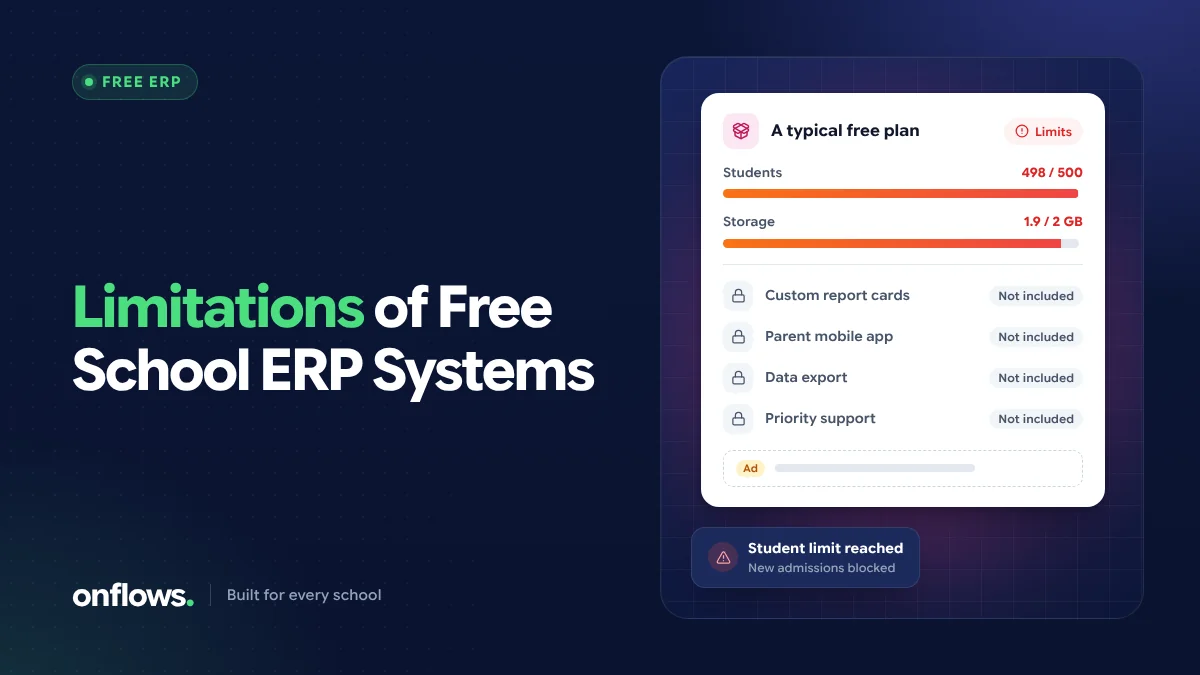
A free school ERP can run a small school well, and we offer one ourselves. But every free option has limits, and the worst time to discover them is in the middle of an academic year. This post lists the common ones, so you can check them before you rely on a free system.
1. Student caps
Most hosted free plans cap the number of students. That is fair, but find out:
- what the cap is, and how students are counted (enrolled, active, or every record ever),
- what happens when you reach it: are new admissions blocked, or are you simply asked to upgrade?
Onflows Community is free up to 200 students, counted as students with an active enrolment, so students who have left or passed out do not count against the cap.
2. Missing modules
Free plans usually include the core record and leave out the daily operational modules. Check specifically for attendance, fees, the timetable and exams, because those are the ones schools discover they need. In Onflows, those are on Pro; the free plan includes the roll, admissions, notices, certificates, progress cards and more. See free vs paid school management software.
3. Trial periods disguised as free plans
"Free" sometimes means 14 or 30 days. Read the plan page for the words "trial" or "days", and ask directly: is this free forever at our size?
4. Data export
Can you take all your data out, in a usable format, at any time? Some free tiers restrict exports to push upgrades. If you cannot export, you are not really free to leave.
5. Support
Free plans usually come with self-service help rather than a person. That is reasonable, but plan for it: who in your school will solve problems, and how quickly do you need answers during admissions or exams?
6. Advertising and data use
Some free products are paid for by advertising, or by using data in ways a school would not accept. Read the privacy policy. Children's data should never be the price of free software.
7. The hidden costs of open source
Open source school ERP free download options have no licence fee, but they move other costs to the school:
- a server or hosting account, paid every month,
- someone to install, configure and update it,
- backups, and testing that they actually restore,
- security patches, applied promptly,
- customisation for your board and country, which may need a developer.
For a school with technical staff, these are manageable. For a school without, they can cost more than a paid plan. We cover the steps in how to set up an open-source school ERP.
8. The limits of a free school ERP on Excel
A free school ERP software on Excel (a workbook of linked sheets) is free and familiar, but:
- every person editing it can change or delete anything,
- there is no record of who changed what,
- two people editing different copies creates conflicting versions,
- it does not give families a view of their own child,
- it gets slower and more fragile as it grows.
It is a reasonable stop-gap for a very small school, not a long-term home for children's records.
9. Gaps in specialised areas
Free and paid systems alike vary in specialised modules. Two that schools often ask about:
- Library: a free school library management software is a separate category. Onflows does not include a library module. Many schools and colleges use dedicated library systems; Koha, for example, is a widely used open-source library system.
- Online exams: free online exam software for schools ranges from general form tools to dedicated test platforms. In Onflows, tests and exams (marks entry, question papers and published results) are on Pro, and course content includes rubric-graded submissions.
How to plan around the limits
- List the modules you will need within a year, not just today.
- Check the free plan's cap against your size in three years.
- Confirm you can export everything.
- Know the upgrade price before you start, so it is a plan, not a surprise.
- If you choose open source, budget the time and hosting honestly.
Frequently asked questions
What is the biggest limitation of free school software?
Usually the missing daily modules (attendance and fees) or a student cap. Both are fine if you know about them in advance.
Is open source better than a free hosted plan?
It gives more control and no caps, at the cost of running it yourself. For schools without technical staff, a hosted free plan is usually more practical.
What happens to our data if we stop using a free plan?
That depends on the vendor. Ask before you start, and make sure you can export everything.
Know the limits up front: see exactly what Onflows Community includes, then create your school.
Topics: Free school ERP, Open source school ERP free download, Free school ERP software on Excel, Free school library management software, Free online exam software for schools